What Is a Toaster Oven with a Display Screen?
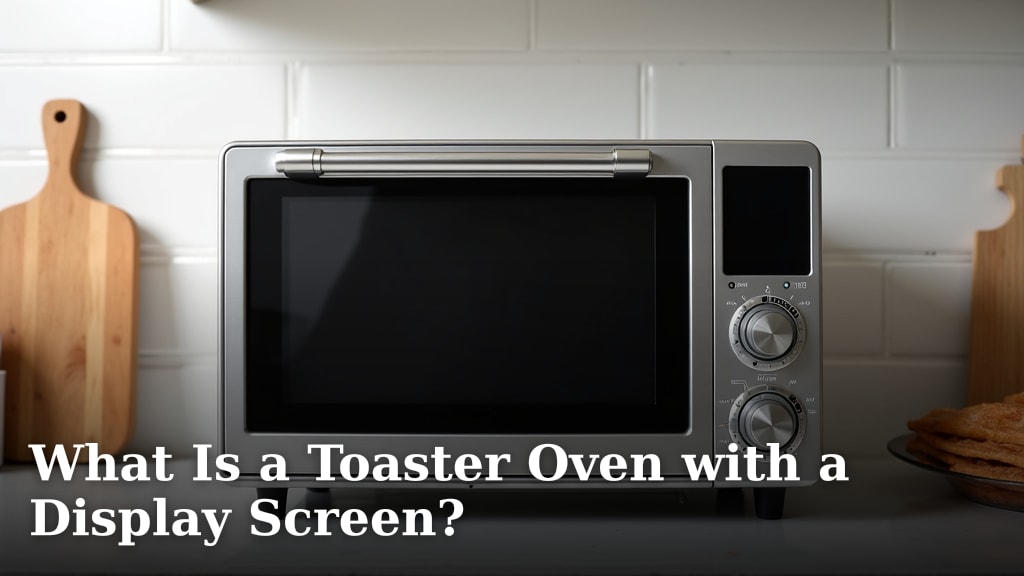
A toaster oven with a display screen is a countertop appliance that adds a digital interface to its controls and functions. It typically features an LCD or LED screen that shows the time, temperature, and selected cooking mode. This screen replaces traditional dials and mechanical timers with buttons or touch-sensitive panels for more precise input.
We found that this type of display makes the oven much easier to use, especially for complex recipes. It often includes pre-set cooking programs for common foods like pizza, toast, or chicken. The screen provides clear feedback, so you know exactly what the oven is doing without guessing.
- Offers precise digital control over temperature and time settings.
- Features a clear screen showing active settings and cooking progress.
- Often includes one-touch presets for popular foods and functions.
- Provides visual cues for preheating and cooking stages.
- Modernizes the user interface compared to basic mechanical models.
Below, we break down everything you need to know about how these displays work, their key features, and what to consider when choosing one for your kitchen. We will walk through the benefits step by step to help you decide if it is the right upgrade for you.
How a Display Screen Works in a Modern Toaster Oven
A display screen in a toaster oven is your command center. It replaces guesswork with exact numbers. You set the temperature with a button press, not a wobbly dial. The screen shows you precisely what you selected. This digital feedback is the core benefit. It removes the mystery from your cooking.
The screen usually connects to electronic controls. These can be physical buttons or a sleek touch panel. Inside, a small circuit board manages your commands. It communicates with heating elements and sensors. This system allows for more sophisticated functions than a basic oven. Think precise temperature holding or detailed timers.
The Technology Inside: LCD vs. LED Displays
You will often see two types of screens: LCD and LED. LCD stands for Liquid Crystal Display. It is the most common type you will find. Think of it like a calculator or old digital watch screen. It uses a backlight to show the numbers and symbols.
LED displays use tiny light-emitting diodes. They can be brighter and more colorful. Some higher-end models might use OLED screens for richer visuals. Both types serve the same purpose. They give you a clear window into the oven’s status and settings. The choice is often about cost and the manufacturer’s design preference.
What Information Does the Screen Show You?
Your display will show several key pieces of information. First, the current mode: Bake, Broil, Toast, or Air Fry. Second, the temperature you selected. Third, the remaining time on your cook cycle. Many screens also display a preheat indicator. This tells you when the oven has reached the right heat.
Some advanced displays offer more. They might show the status of a convection fan. Others can display a progress bar for cooking. This constant feedback helps you plan your meal timing. You are not just waiting; you are informed. This reduces the need to open the door and peek, which loses heat.
Key Benefits of a Digital Display Interface
Upgrading to a model with a screen offers clear advantages. These are not just about looking modern. They directly impact cooking results and ease of use. We found that the primary benefit is repeatable precision.
When you can set the temperature to exactly 350°F, you get consistent results. No more guessing if “Medium” on a dial means 325° or 375°. This is especially helpful for baking. Delicate recipes like cookies or soufflés depend on accurate heat. A digital interface gives you that control.
Intuitive Cooking with Pre-set Programs
This is where a display screen truly shines. Pre-set programs are like recipes for your oven. You select “Pizza” or “Chicken Wings.” The oven automatically uses the right temperature, time, and function. It might even adjust the convection fan setting.
Many experts agree this feature boosts confidence for new cooks. It takes the fear out of trying new foods. You press one button, and the oven handles the details. It is like having a small cooking guide built right into the appliance. This makes weeknight meals faster and more foolproof.
Precision and Consistency in Your Kitchen
Consistency is a baker’s best friend. A mechanical dial can drift. A digital control locks in your setting. The oven’s thermostat works to maintain that exact temperature. Research from culinary institutes shows temperature stability is key for even baking. A digital system is better at this stability.
You will notice this with items like toasted bagels. A mechanical oven might toast one side darker. A digital model with even heating elements can provide a more uniform golden-brown color. This consistency applies to all your cooking, from reheating leftovers to roasting vegetables.
Understanding Common Cooking Modes and Their Uses
A display screen is your guide to the oven’s full capabilities. It makes different cooking modes accessible. You can easily switch between them without confusion. Here is a quick reference for the most common functions you will see on your screen.
| Mode | Primary Heating Element | Best For | Typical Display Setting |
|---|---|---|---|
| Bake | Bottom (and sometimes Top) | Casseroles, baked potatoes, cakes | Temperature & Time |
| Broil | Top Element on High | Browning cheese, toasting bread, searing meats | Timer (often Low/High) |
| Toast | Top and Bottom Elements | Bagels, toast, English muffins | Shade Setting (1-7 or similar) |
| Convection Bake | All Elements + Fan | Cookies, roasted veggies, multiple trays | Temperature & Time (fan symbol shown) |
| Air Fry | All Elements + High-Speed Fan | Frozen fries, chicken nuggets, crispy wings | Temperature & Time (often a basket icon) |
Convection and Air Fry: The Role of the Fan
When you select Convection or Air Fry on the display, you activate a small fan. This fan circulates the hot air inside the oven. It creates a more even heat distribution. According to the USDA, this circulating air cooks food faster. It can reduce cooking times by about 25%.
The display will often show a fan icon when this mode is active. This visual cue reminds you that cooking may be quicker. For air frying, the fan speed is often higher. This rapid air movement creates a crispy exterior on food. The display lets you know this powerful mode is engaged.
Maintenance: Cleaning and Care for the Display
The display is a screen, like on your phone or TV. It needs gentle care. Never spray cleaner directly onto the screen. Liquid can seep into the buttons and damage the electronics. This is a common mistake that can ruin the control panel.
Instead, lightly dampen a soft, microfiber cloth. Wipe the screen with the damp cloth. Then, use a second dry cloth to polish it. For fingerprints, a little glass cleaner on the cloth (not the screen) works well. Always power off the oven and let it cool before cleaning.
Avoiding Damage to Your Digital Controls
Abrasive cleaners are a no-go. They can scratch the screen’s surface. Stick to soft materials only. Avoid using excessive force on touchscreens. They are designed to respond to a light touch, not a hard press.
Be mindful of grease splatters during cooking. Clean the screen regularly to prevent buildup. Greasy residue can make touch panels less responsive. A quick wipe after the oven cools down maintains clarity and functionality. Treat it like you would any important screen in your home.
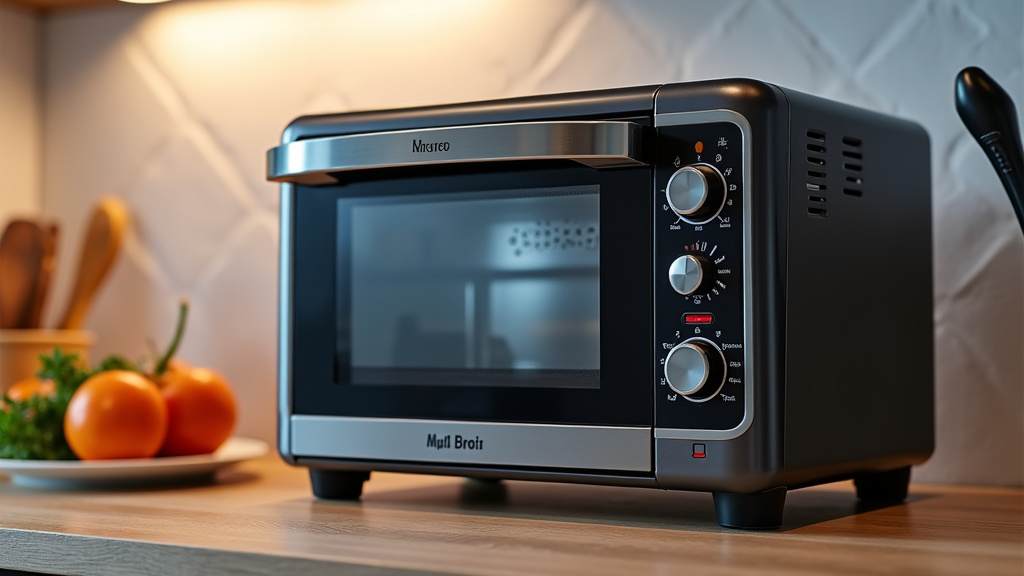
Choosing the Right Display Screen Toaster Oven
Not all digital displays are created equal. When shopping, consider the screen’s clarity and readability. Can you easily see the numbers from across the kitchen? Is the font large enough? A bright, high-contrast display is easier to use daily.
Next, think about the controls. Do you prefer physical buttons or a smooth touch panel? Buttons give tactile feedback. Touch panels are sleek and easy to wipe clean. Your preference matters. We suggest trying the display style in a store if possible.
Screen Size and Button Layout
A larger screen does not always mean a better oven. It should fit the oven’s design. More importantly, the button layout should be logical. Icons should be clear and well-labeled. The “Start” button should be prominent. A confusing layout can lead to frustration.
Some models have backlit buttons. This is great for seeing controls in a dim kitchen. The display itself should have adjustable brightness. This feature helps in different lighting conditions. A good interface feels natural after just a few uses.
Your Buying Checklist for a Display Screen Oven
Use this checklist to guide your final decision. It focuses on the display and control features that matter most for everyday use.
- Visibility: Is the display bright, clear, and readable from a distance?
- Control Type: Do you prefer tactile buttons or a smooth touch panel interface?
- Pre-set Programs: Does it have the one-touch programs you will actually use, like Toast or Pizza?
- Readability: Are the icons and numbers large and easy to understand at a glance?
- Cleaning: Is the display surface smooth and easy to wipe down without trapping crumbs?
- Feedback: Does it give clear visual cues, like a preheat light or a timer beep?
Balancing Features with Your Budget
Basic models with a simple LCD and a few buttons are very affordable. They cover all the essential functions. Mid-range models often add more presets and a brighter screen. High-end models might offer color displays or advanced connectivity features.
Ask yourself which features you will use daily. A complex display with 20 buttons might be overwhelming. Sometimes, simpler is better. The goal is to find a balance. You want an intuitive tool that makes cooking easier, not a gadget that complicates it. Choose the interface that feels most helpful to you and your kitchen routine.
Conclusion
A toaster oven with a display screen replaces guesswork with clear, digital guidance. It gives you precise control over temperature and time. The pre-set programs simplify cooking common foods. You get visual feedback that makes the appliance easier and more reliable to use. We found this combination of precision and simplicity is the core upgrade. It helps you achieve consistent results, from perfectly toasted bagels to evenly baked cookies. Your next step is to decide which interface feels right for you. Visit a store to see the displays in person, or compare top models from trusted brands online to find your perfect match.
Frequently Asked Questions
Are toaster ovens with digital displays harder to repair than basic models?
In some cases, yes. The digital control panel is a complex electronic component. If it fails, it often requires a professional repair or full panel replacement. Basic mechanical dials are generally simpler and cheaper to fix yourself.
Do these screens make the toaster oven use more electricity?
The display itself uses a very small amount of power, similar to a digital clock. The oven’s main energy consumption comes from its heating elements. A digital model’s energy use is comparable to a similar-sized mechanical model during cooking.
Is the digital display prone to breaking from kitchen heat or steam?
Manufacturers design these screens to withstand normal kitchen heat. However, excessive direct steam from boiling water right next to it could potentially cause issues. Wiping away splashes promptly and avoiding excessive steam exposure is wise.
Can I turn off the display or dim it at night?
Most models do not offer a full display-off feature, as it would disable the controls. Some higher-end units may have a brightness setting or a “dark mode” that dims the screen significantly when not in use.
How accurate is the temperature on a digital display?
Digital systems are generally more accurate and stable than mechanical dials. They typically hold temperature within a tighter range. This is a key reason bakers prefer them for consistent, repeatable results.